Chorby vs Chores & Allowance Bot: best chore app for your family?
Chorby brings kids' and parents' responsibilities into one family task system: a focused Adventure Map or simple list, Gems, Cash, or an optional allowance, and a shared Family Hub. Compare that approach with Chores & Allowance Bot for an allowance ledger, savings goals, and chore schedules across mobile and web.
Quick answer
Choose Chorby for whole-family chores with a map or list, Gems, Cash, or an optional allowance, and a shared Hub. Consider Chores & Allowance Bot for an allowance ledger, savings goals, and chore schedules across mobile and web.
Why choose Chorby for whole-family chores?
- We recommend Chorby when daily responsibilities are the main job: a shared kitchen-tablet Hub keeps the family's work visible, while Gems, direct task Cash, and tracking without rewards can sit side by side.
- Different people can use different views: an Adventure Map for visual progress or a task list for quick check-offs. Kids and parents stay in the same household as preferences change.
- Choose what fits each person: Gems for the Gem Shop, Cash for direct task earnings, or an optional weekly allowance. You can also track tasks without rewards.
Wingboat describes a free version with children, chores, allowances, a ledger, reminders, and a parental passcode. Premium adds a multi-week chore chart, up-for-grabs chores, rotation, extra accounts, child passcodes, and longer history. It supports iPhone, iPad, Android, and compatible web browsers.
Chorby supports kids and parents in one household. Choose Gems, Cash, or an optional allowance for each family member. You can also track tasks without rewards. Younger kids might like Gems and an Adventure Map; older kids might prefer Cash and a list; parents might simply track their responsibilities. These are choices, not age rules. Cash records direct task earnings at amounts you set. Your family provides the real money; Chorby does not transfer it or issue a debit card. Screen time is an optional custom reward.
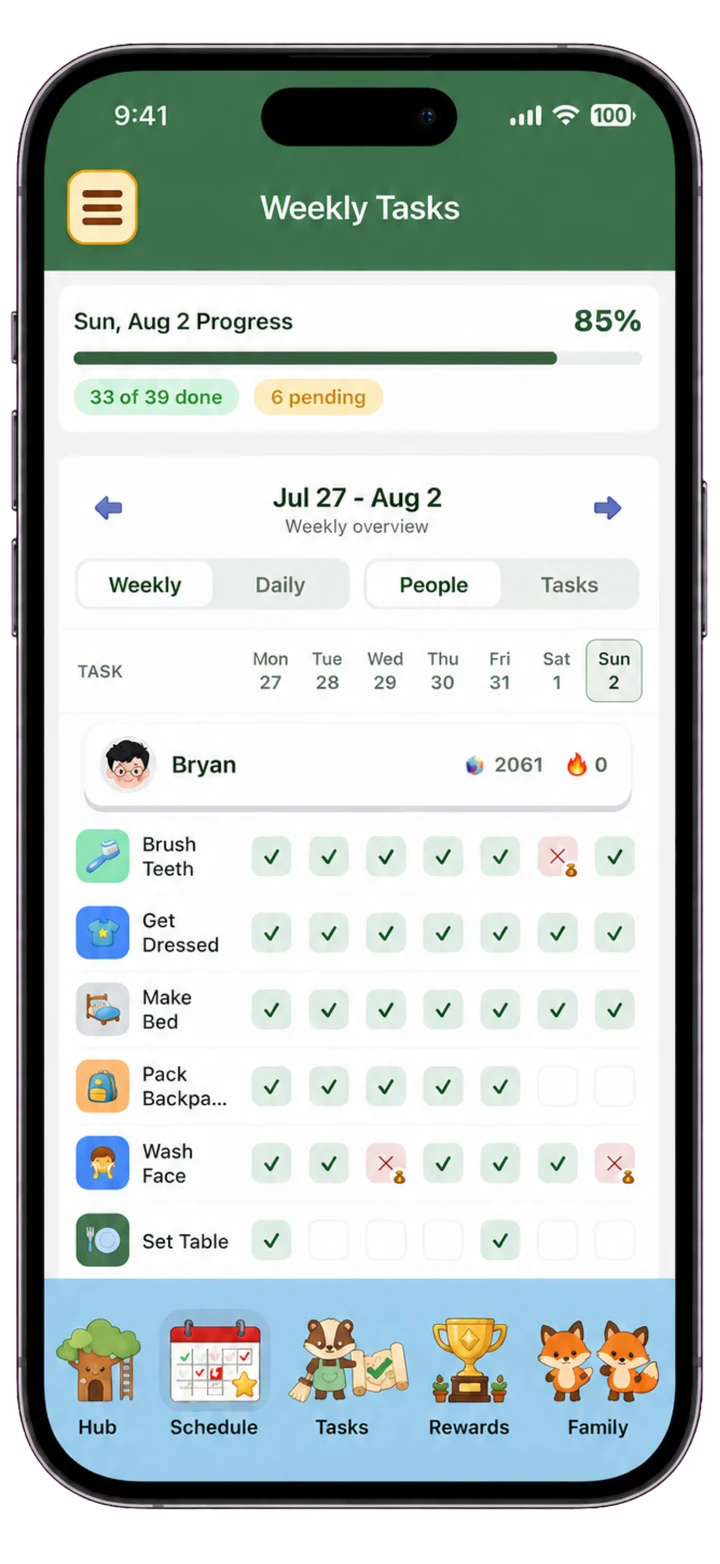
Chorby vs Chores & Allowance Bot feature comparison
| Feature | Chorby | Chores & Allowance Bot |
|---|---|---|
| Daily experience | Adventure Map or task list per person | Child task lists and Premium multi-week chore chart |
| Reward modes | Gems, Cash, or an optional allowance for each family member, including parents; tasks can also be tracked without rewards | Allowances, per-chore pay on Premium, and savings goals |
| Shared family view | Kitchen-tablet Family Hub, phones, widgets, and Apple Watch | Family account across mobile and compatible web browsers |
| Main focus | Kids' and parents' daily tasks, progress, and rewards together | An allowance ledger, savings goals, and chore schedules across mobile and web |
When Chores & Allowance Bot may fit better
Consider Chores & Allowance Bot if your main need is an allowance ledger, savings goals, and chore schedules across mobile and web. Read the official sources below for current features and plan details.
Chorby is our pick for whole-family chore tracking when you want a map or list, Gems, Cash, or an optional allowance, and one shared Family Hub.
Sources and parent access
Wingboat lists free and Premium features, platforms, allowance rules, and chore schedules. Chores & Allowance Bot's official feature guide.
Chorby parent access requires an active subscription or trial. That access includes the Adventure Map or task list, flexible rewards, optional allowance, Family Hub, optional photo proof, and approvals. Chorby is available on iPhone and iPad, with Apple Watch support. Chorby Terms of Service, §6.
A comparison from the Chorby team. Last reviewed September 2026. Product features and plans can change; linked sources are provided where available.