Chorby vs S'moresUp: best chore app for your whole family?
Both apps help families manage chores, responsibilities, and rewards. Chorby brings those pieces together for the whole family: a focused adventure map or straightforward task list, Gems, Cash, or an optional allowance for each family member, and a shared Family Hub that keeps everyone's responsibilities in view.
Younger kids might earn gems, older kids might use Cash mode, and parents can track their own tasks with no rewards. Those are choices, not age rules: use one mode across the household or mix them to fit your family.
Quick answer
Choose Chorby for whole-family task tracking, a focused adventure map or simple task list, Gems, Cash, or an optional allowance per family member, and a shared Family Hub. Choose S'moresUp when you want a planner, family wall, and Collaborate or Compete chore options together in one household suite.
Why choose Chorby for whole-family chores?
- Daily chores are the main job: Chorby's map or task list keeps responsibilities and progress in view. A sibling or parent can use a list while another enjoys the map.
- Rewards fit each person: Gems for the shop, Cash for direct task earnings, or an optional weekly allowance. You can also track tasks without rewards.
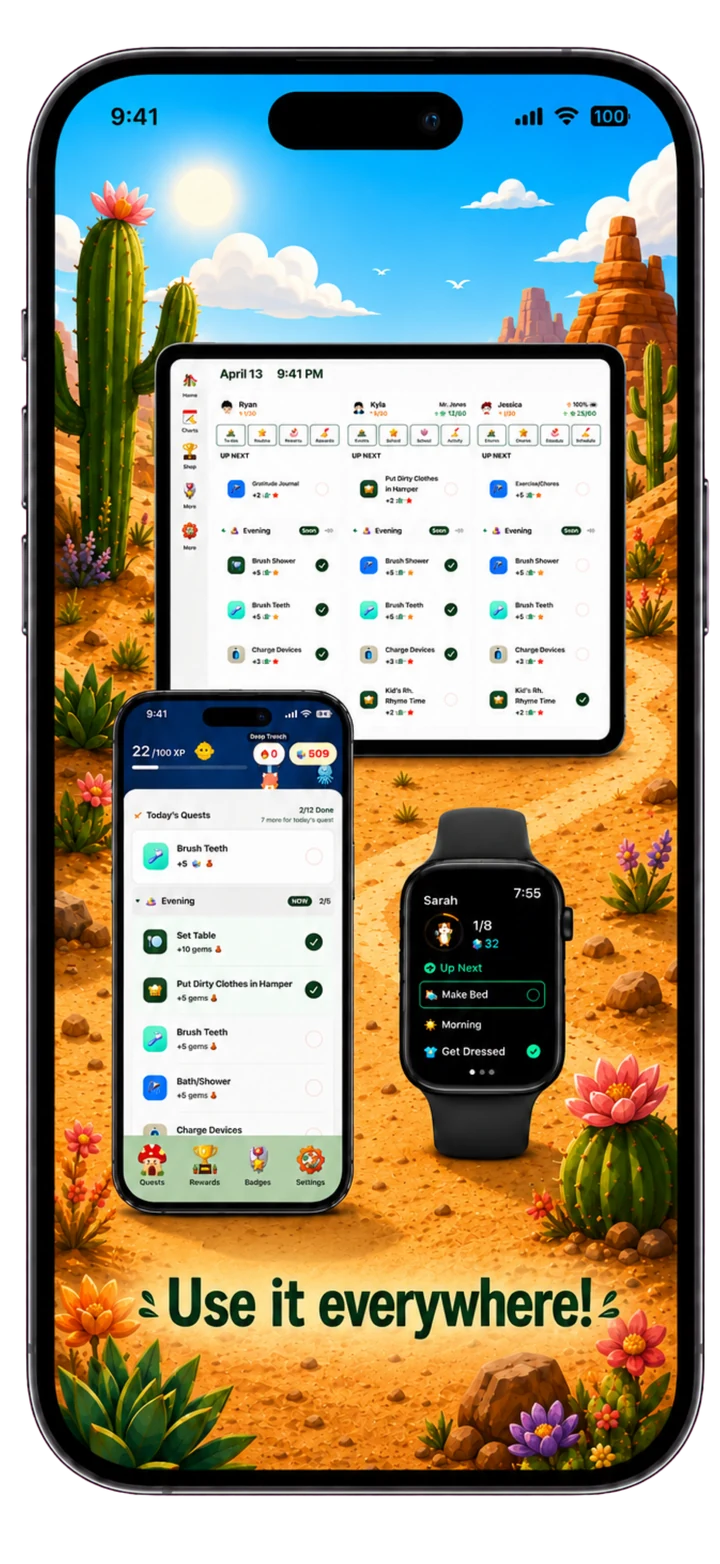
- One shared Family Hub brings kids' and parents' tasks together on a kitchen tablet, with phones, widgets, and Apple Watch for other ways to participate. This combination is why we recommend Chorby for whole-family chores.
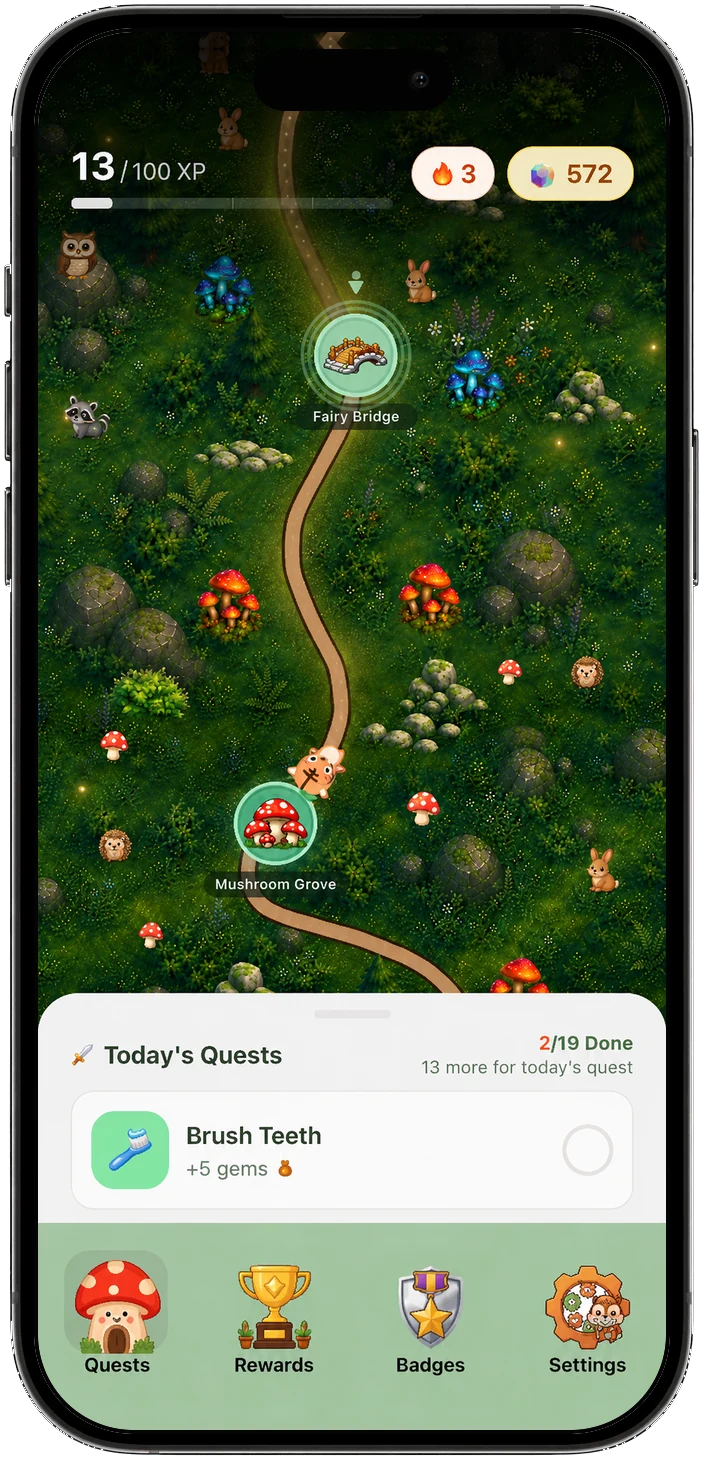
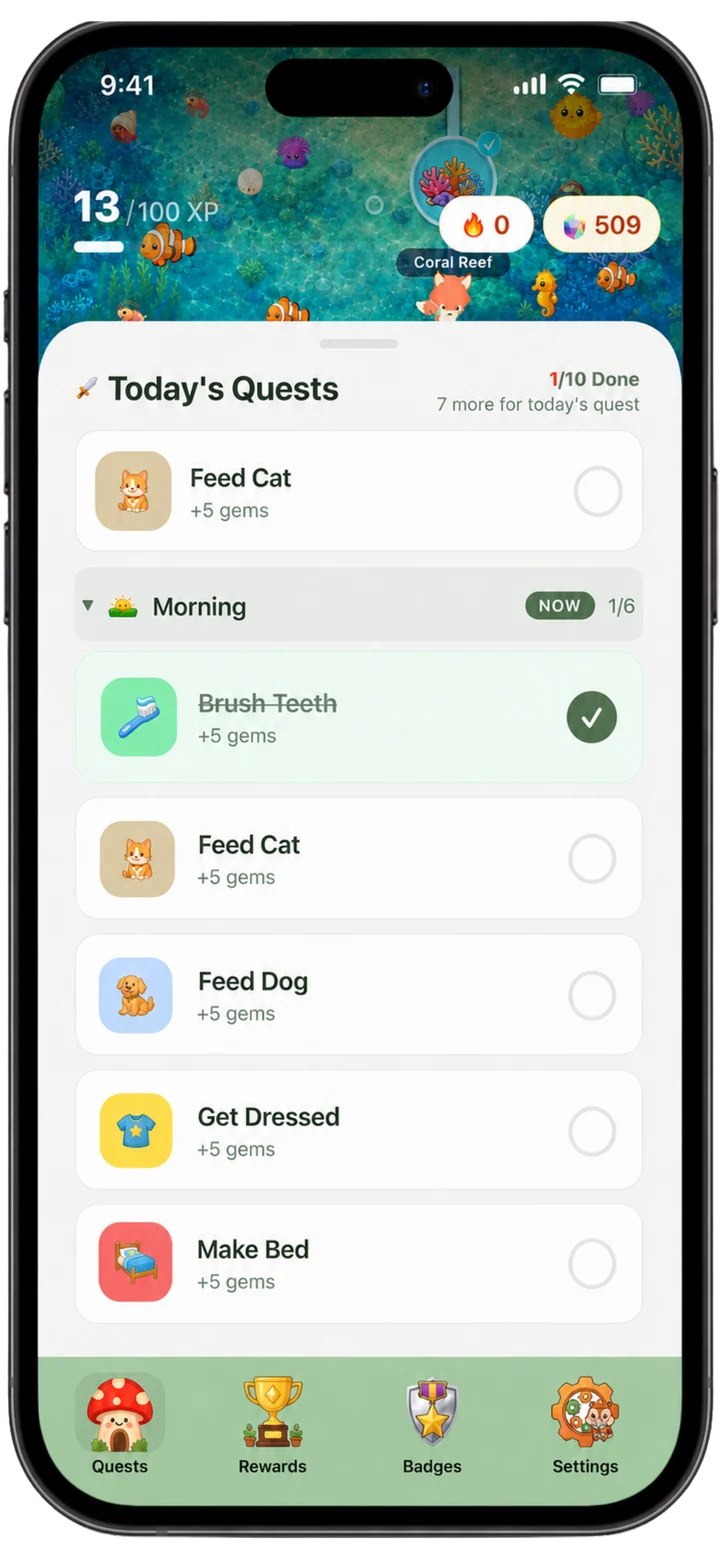
Adventure map or chore list for each child
The adventure map is a picture of the day, not a scoreboard. Kids see what is next, how far they have come, and that finished work moves them forward. That is ownership: they can read their own progress without waiting for a parent to narrate it. The map does not replace the list. It is one way to understand the same responsibilities.
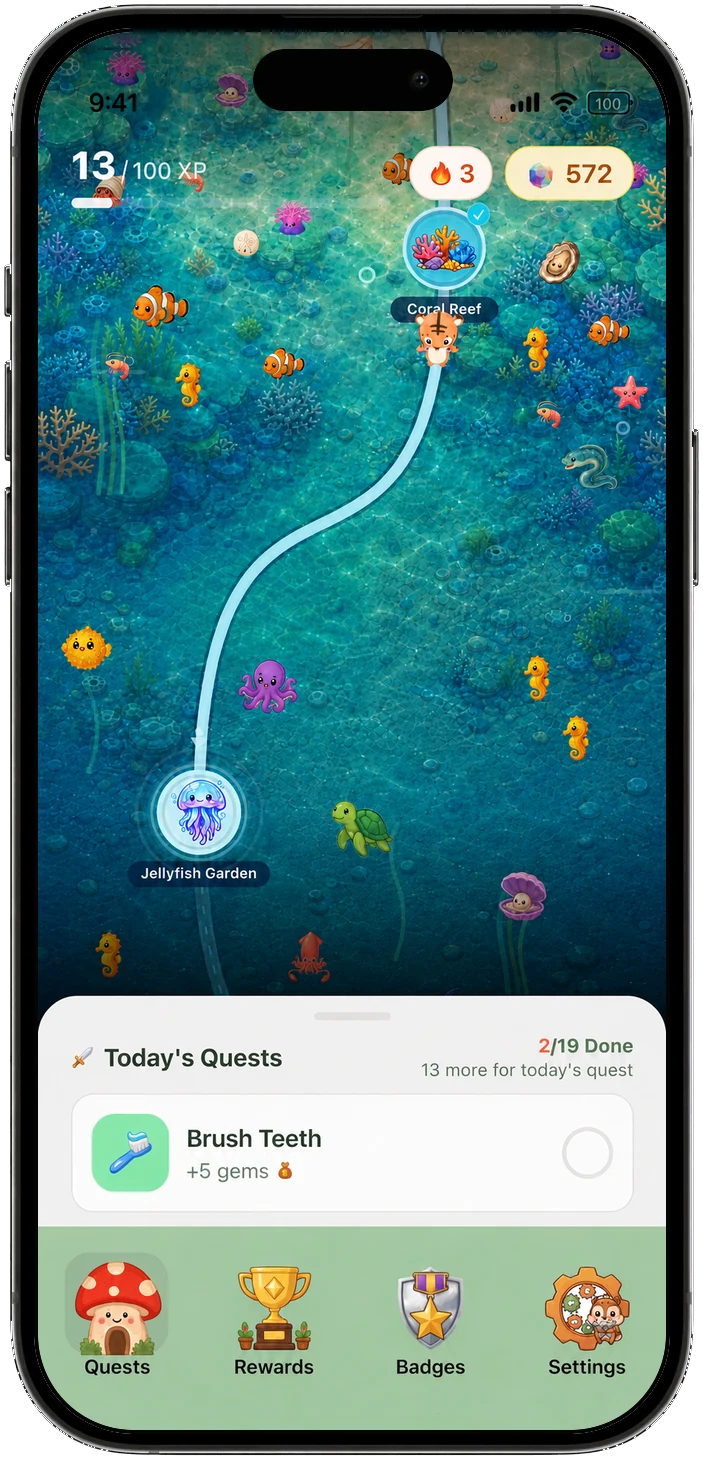
Different kids, different ways to participate
In the same household, one child may like turning tasks into an adventure while another prefers checking off a simple list. Parents can track their own responsibilities too. Daily goals and reward modes can differ by person. We do not assume every younger child wants a map or every teenager wants a list. Preferences change, and the app can change with them. That is how Chorby grows with your family: same household, different ways to participate, one shared Hub.
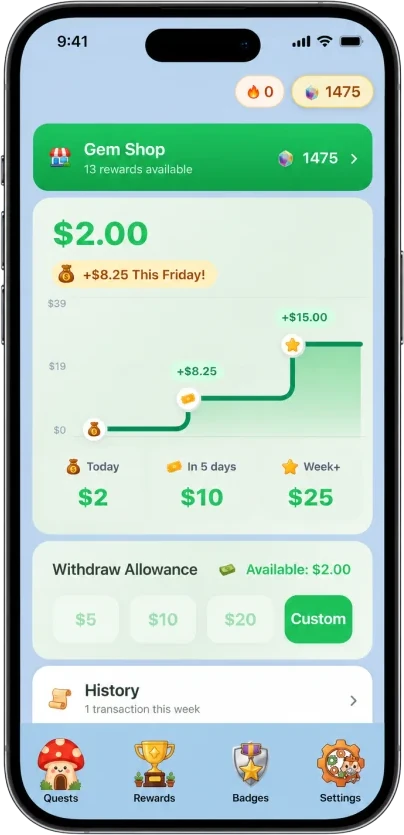
Gems, Cash, or an optional allowance
Choose a reward mode for each family member. Gems mode connects completed tasks to rewards in the Gem Shop. Cash mode tracks money earned from tasks, with amounts you set; it is not limited to a weekly allowance. Family members can also keep responsibilities and progress visible without earning Gems or Cash, including parents tracking their own work. The whole household can use Cash, or you can mix modes. Allowance tracking is also available, and your family pays using its usual method: Chorby does not transfer money or issue a debit card. Optional screen-time rewards are another choice alongside your family's custom rewards. S'moresUp also offers allowance and rewards.
A shared Family Hub for phones and tablets
Family Hub turns a kitchen tablet into a board everyone can see. Kids and parents can keep their responsibilities together, even with different reward modes. Kids who do not have their own phone can still tap work off. A Parent PIN keeps parent controls locked. No child emails or logins. The same chart lives on phones, home-screen widgets, and Apple Watch, so a check-off in the kitchen, on a phone, or on a wrist stays in one place.
Optional photo proof, chore approvals, and reminders
Optional photo proof, parent approvals, and reminders sit alongside the day—not as the whole product. On Chorby they are part of the parent hub. You turn them on for the tasks that need them. Open and Occasional assignment types cover shared and as-needed work.
On S'moresUp, the App Store listing and pricing page place chore approvals and photo proof in Premium, along with advanced chore scheduling.
Chorby vs S'moresUp feature comparison
| Feature | Chorby | S'moresUp |
|---|---|---|
| Daily path | Adventure map or a straightforward task list, per child | Chore list inside a household suite |
| Reward modes | Gems, Cash, or an optional allowance for each family member, including parents; tasks can also be tracked without rewards | Allowance and rewards, including MoneyWise on Premium |
| Shared family view | Family Hub on a kitchen tablet, plus phones, widgets, and Apple Watch | A profile for everyone in the family, per the App Store listing |
| Family planner, wall, and group chores | Focused on the day's responsibilities | Family planner and Campfire family wall, with Collaborate and Compete chore types on Premium |
| Photo proof, approvals, reminders | Optional in the parent hub, included with parent access | Approvals and photo proof listed as Premium |
| Platforms | iPhone, iPad, Apple Watch, and Android | iPhone (App Store listing) and Android |
Which approach fits your family?
S'moresUp is worth considering if you want a planner, Campfire family wall, and Collaborate or Compete chore options together in one household suite. Collaborate and Compete are listed as Premium chore types. It also offers allowance and rewards, so those needs are supported by both apps.
Choose Chorby if you want one task system for kids and parents, a focused adventure map or task list, Gems, Cash, or an optional allowance per family member, and a shared tablet Hub for the household.
Plans and what sits where
S'moresUp's App Store listing describes a free download with 45 days of Premium features (or 450 chores completed, whichever comes first). After that, the Intro Pack continues with core chores, calendar, rewards, and Campfire. Premium unlocks advanced chore scheduling, MoneyWise for Kids, penalty management, auto allocation of chores, reward approval, and reports. S'moresUp on the App Store.
Their pricing page lists chore approvals and photo proof in Premium, along with advanced chore types (Rotate, Compete, Collaborate). smoresup.com/pricing.
Chorby parent access requires an active subscription or trial. The map, task list, Family Hub, flexible rewards, optional allowance, optional photo proof, and rewards shop are part of that access—not a second Premium pack for proof. Chorby Terms of Service, §6.
A comparison from the Chorby team. Last reviewed September 2026. Product features and plans can change; linked sources are provided where available.